In Part 1 of our updated Google Tag Manager Tutorial, we covered the tracking of outbound (external) links. If you missed it, you may want to start here. In this second part, we will walk you through the process of setting up tracking for file downloads from your website. If you …
Web Analytics
GDPR Update: Browser Cookie Blocking – The Current Situation
Over the last few years, we have seen an increased focus on user privacy online with reports of the US Presidential and UK Brexit votes being heavily influenced – both legally and illegally – by user targeting on Facebook. The 2018 rollout of the EU’s GDPR laws and people’s general …
Our 6 Favorite Community-Built Visualizations in Google Data Studio
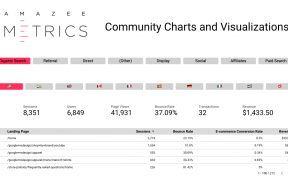
Since late 2018 Google Data Studio has added features that allow its users to create their own charts, graphs, and other visualization. These can then be shared with all other users to use as if they were built into Data Studio to begin with. This means that the ways in …
Google Tag Manager Tutorial Part 1: Tracking Outbound Links – Update 2020
External links are links on your website that do not point to other pages on your site and users that click on them will be redirected away from the site. Often, we have no insight into exactly why someone leaves, however, we can get an idea of where they go …
Visitors, Conversions and Sales: Google Data Studio Reports Provide Important Key Figures
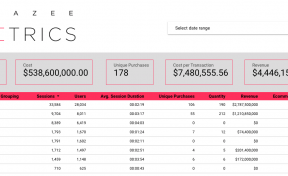
Anyone running an e-commerce business should ensure that their site is performing, is always available, and is secure for the end-user. Numerous reports and dashboards can be built in Google Data Studio to support this. Google Data Studio also presents your data in an easily digestible format. Where do visitors …
RPA Robots, the Most Efficient Employees for Marketing Dashboards
Marketing dashboards are an indispensable tool for monitoring and controlling marketing activities. Instead of separate reports for each marketing channel like Organic Search, Google Ads, and Facebook Ads, the dashboard shows the most important KPIs at a glance. If you would like more information, you can see our blog post …
Smart Scroll Tracking with Google Tag Manager
If you are using Google Tag Manager (GTM), Scroll Tracking can be accomplished in a few quick steps with the GTM built-in Scroll Depth Trigger making this a really simple task. Having implemented this many times over the last years, we discovered that the out-of-the-box GTM Trigger has some limitations. …
Treemaps Tutorial for Google Analytics
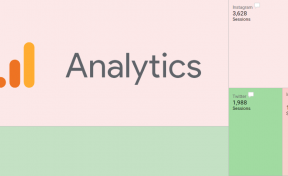
In Google Analytics you can use Treemaps to understand how traffic arrives at your website. In this tutorial, we explain how they work and how you can use them. What are Treemaps? Treemaps are a type of visualization that represents data as rectangles. Each segment of data is a rectangle. …
The Five Greatest Benefits of Custom Reporting
Do you struggle every month with manually updating reports? Is management asking for numbers that you cannot pull out of your data tools? If you dream about combining different data sources, to connect the dots and get deeper insights, this blog post is for you. Standard reporting can be tedious …
Google Tag Manager Becomes Easier and Safer with Custom Templates
Google has recently launched a new Google Tag Manager feature, Custom Templates. This feature allows users to create new types of Tags and Variables for any other users to utilize. In this way, the custom templates can solve some problems that have arisen with GTM. Google Tag Manager, a Powerful …
How To Identify Bots in Google Tag Manager by Looking for Headless Browser Traffic
There are many ways of filtering out bots and spam traffic in Google Analytics, the most common and easiest of which is to enable Google’s built in spider and bot filter. But what about if we want to see the traffic from bots, split out in a separate view? Understandably, …
How to combine Data Sources in Google Data Studio
Google Data Studio is Google’s free dashboarding tool that is making it incredibly easy to create useful and visually appealing dashboards. If you are unfamiliar with Google Data Studio, take a look at this blog post on how to get started with your first dashboard. One of the few disadvantages …