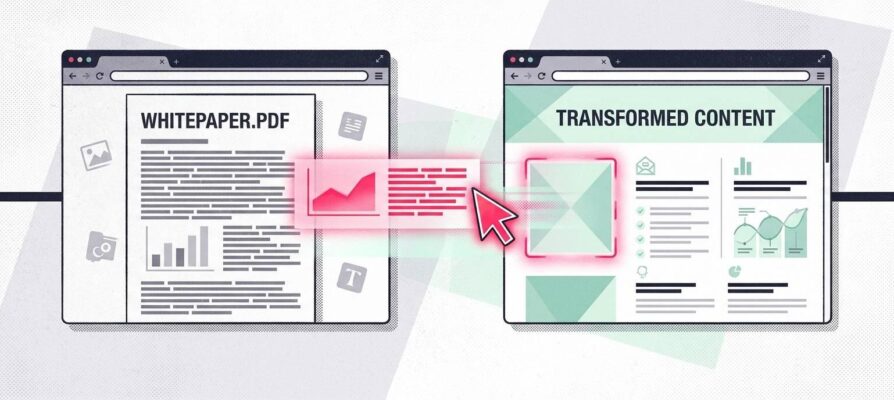
PDFs are a dead end. They don’t rank in search, they give you no data on who’s actually reading them, and once someone closes the file, there’s nothing else for them to do. The fix is turning that PDF into an actual landing page, one built to be found, tracked, and acted on. That’s exactly what our Landing Page Generator does: it pulls the headline, the numbers, and the proof straight out of your existing PDF and turns it into a page built to convert.
Most of what you need to publish already exists. The bottleneck is reusing it, not creating something new. The industry news copied into your website’s feed and the whitepaper sitting unread as a PDF are both already-written material; turning that material into something that ranks in search or converts a visitor into a lead is the only expensive step left. An automated workflow that rewrites feed content in your own voice before it publishes, paired with a second workflow that pulls a PDF’s existing content into a landing page, closes that gap without you writing a single new sentence of research.
These two workflows sit at opposite ends of your business: one feeds top-of-funnel content, the other captures bottom-of-funnel leads. But they’re built from the same two-step shape, pull the existing material, reframe it for where it needs to live, and once you see that shape, you’ll start noticing it everywhere else content gets copied, pasted, or left in a drawer.
Turning an RSS Feed Into your own Content
The “news” or “insights” section on your company blog is often the easiest place to see this problem. Here’s the piece of tech quietly doing the work behind most of those pages: an RSS feed, a subscription your website holds to another site, a news outlet, a competitor’s blog, whatever the source. It automatically picks up every new article the moment that source publishes something, so nobody on your team has to check the page by hand.
Why a Copied News Feed Barely Shows Up in Search Results
Search engines don’t run some hidden penalty for duplicate content, but the practical result looks almost the same: your copied version rarely wins the click. Google’s own guidance says duplicate content won’t be penalized unless the intent is deceptive; its systems just group duplicate pages and pick a “best” one to show searchers, almost always the original. If your feed pastes in the same wire story as several other sites, you’re just one of many identical pages competing for a single spot.
The Fix: Rewrite Every Story in Your Own Voice First
The fix is a short rewrite step: reshaping each piece in your own tone, not just swapping a few synonyms, turns a copied wire story into something search engines and readers treat as genuinely yours. That’s the difference between a blog that reads like a syndicated news ticker and one that sounds like your company has a real point of view.
How We Help You Build This Workflow
We build exactly this kind of pipeline for you: a trigger that watches the source feed, a rewrite step that reshapes each new item in your voice, and an approval queue before anything publishes (we go deeper on the mechanics in our guide to GenAI content automation). We pay particular attention to that approval step, since source feeds occasionally carry off-topic or low-quality stories that shouldn’t reach your live site unchecked.
That same shape, pull from an existing source, reframe it, add a review step before it ships, is exactly what turns a forgotten PDF into a working lead-generation page for you.
Turning a PDF Into a Landing Page
Consulting firms run into this constantly: the whitepaper or case study built to open doors usually ends its life as a static file nobody outside sales ever opens again. If that’s sitting on your server right now, you already have most of what you need to fix it.
Why a PDF Is the Wrong Home for Your Best Case Study
A PDF is built to be downloaded once, not to be found, tracked, or reused. Unlike a real web page, it barely shows up in search. Beyond a download count, you learn nothing about who actually read it. And once the file is closed, nothing else happens. Yet this is often some of the best material a company has: a real client story, clear numbers, hard proof.
Turn That PDF Into an Actual Landing Page
The fix is giving that content a page built for the web instead of a downloadable file: the same client problem, numbers, and proof, structured with a headline, a clear next step, and a form that tells you who’s actually interested. One industry survey found that 71% of B2B marketers rank whitepapers among their top lead generation tools, and a form in front of that content can sharpen who actually reaches out.
How Our Landing Page Generator Builds the Page
Our Landing Page Generator does exactly that: it reads the PDF’s text, pulls out the headline, the key numbers, and a strong proof point, then places each into a landing page template built for conversion instead of print. What used to take a designer, a copywriter, and a round of internal approvals becomes a short review of the finished page before it goes live.
Your Next Steps for Automated Content Creation
The fastest way to find where this applies to you is to look at where content already exists but isn’t doing its job: an RSS feed getting copy-pasted into a news page, a past case study or report sitting as a PDF nobody promotes anymore, a newsletter that never becomes a blog post (or the other way around). Each of those is a candidate for the same shape: pull the existing material, reframe it for where it needs to live, add a review step before it publishes.
Our team can audit your current content pipeline and point out which of these processes would save you the most time to automate. For PDFs specifically, our Landing Page Generator can turn an existing whitepaper into a live page in a matter of minutes. Get in touch and we’ll start with a walkthrough of your existing feeds and gated content.